
Configure the Bot Defense infrastructure
Important: Bot Defense Self-Service Policy Management is an early access feature.
Use the F5 Distributed Cloud Console to add and configure your Bot Defense infrastructures in the F5 Hosted Cloud. Bot Defense infrastructures are virtual machines that host components that process and evaluate your traffic to determine what traffic is human and what is automation.
Important: If you use Bot Defense in API mode, you cannot use self-service to create your Bot Defense infrastructure. You must contact F5 Support or your Sales team to create your infrastructure.
A typical Bot Defense deployment consists of multiple Test and Production infrastructures. You can add as many Production and Test infrastructures as your subscription limit allows.
Before you begin:
- You must purchase Bot Defense.
- You must have an active F5 Distributed Cloud account. If you do not have an account, see Get Started with Distributed Cloud Console.
- You must have either the f5xc-bot-defense-admin or ves-io-admin-role role.
- Know the geographic region where you want the infrastructure located, and the IP addresses from which you want to allow traffic to access the new infrastructure.
- Make sure you enable Bot Defense in the correct namespace. You can enable Bot Defense on any Distributed Cloud namespace, but once deployed, you cannot move Bot Defense to a new namespace. To enable Bot Defense on an HTTP load balancer in Distributed Cloud, deploy Bot Defense in the same namespace as the load balancer.
To add a new Bot Defense infrastructure:
-
In the Distributed Cloud Console, go to Bot Defense.
-
From the Bot Defense navigation panel, select Manage > Bot Infrastructure.
-
Select Add Bot Infrastructure.
-
Enter a unique Name for the new Bot Defense infrastructure.
-
From the Traffic Type drop-down menu, select the type of traffic that you want to route to and process with this infrastructure. Choose one of the following options:
- Web: When selected, only web traffic, including browser-based traffic from mobile devices, is routed through this Bot Defense infrastructure.
- Mobile: When selected, only mobile traffic from native mobile apps with the Bot Defense SDK are routed through this Bot Defense infrastructure.
-
From the Infra Type drop-down menu, make sure the F5 Cloud Hosted option is selected.
-
From the Environment Type drop-down menu, select one of the following options:
-
Production: Select this if you are adding the infrastructure that you plan to use to protect your live production applications and services from automated attacks. A Production infrastructure has two infrastructure regions in an Active-Active configuration in which traffic is routed equally between the two regions.
Select regions from the Ingress Region 1 and Ingress Region 2 drop-down menus. F5 recommends that you select regions that are geographically close to your traffic and that you select a different region for each infrastructure.
-
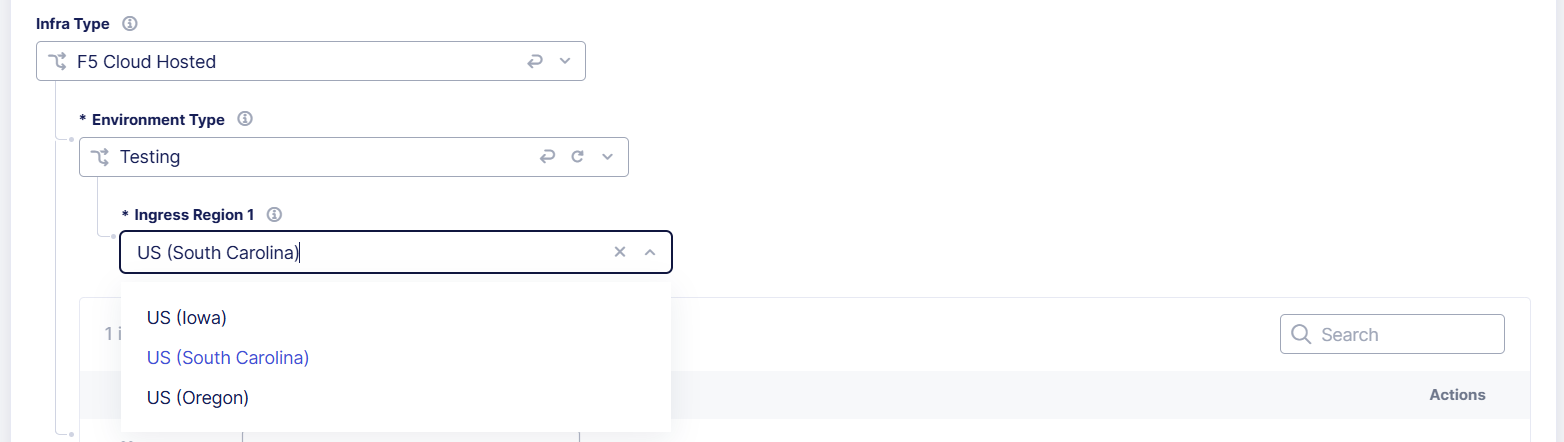
Testing: Select this if you are adding an infrastructure that you plan to use to evaluate new features, settings, and system performance. A Test infrastructure has a single infrastructure region that processes all traffic.
Select a region from the Ingress Region 1 drop-down menu. F5 recommends that you select a region that is geographically close to your traffic.
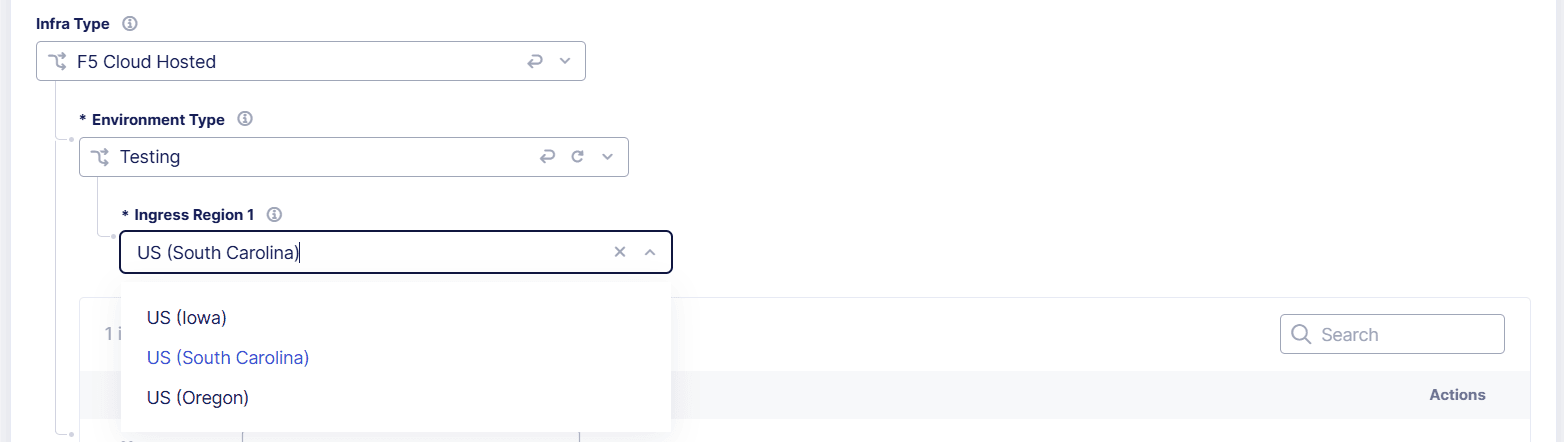
Figure: Select the Environment Type
-
-
Add entries to the Ingress IP Access Control List. Only traffic from these IP addresses is allowed to access this Bot Defense infrastructure. To add IP addresses, select Add, and enter an IP address in CIDR notation.
Note: After you add your new Bot Defense infrastructure, you can optionally add allowed host names to your access control list. For information, see Add Allowed Host Names to a Bot Defense Infrastructure Access Control List.
-
When you finish, select Add Bot Infrastructure.
It takes a few minutes for Bot Defense to create the infrastructure and default policies. Select Refresh on the Bot Infrastructure page to see the latest list of infrastructures.
Next steps:
After you configure your Bot Defense infrastructure, you must review and configure Bot Defense policies. Default versions of Endpoint, Allowlist and Network policies are automatically created when you add the Bot Defense infrastructure.
For information about configuring Bot Defense Policies, see Get Started with Bot Defense - Configure Your Bot Policies.